
In SAP Business Objects deployments, the Server Intelligence Agent (SIA) is one of the most important yet often misread parts. Whether you are installing a new BI environment, managing a multi-node cluster, or troubleshooting server failures, understanding how SIA works can save hours of frustration and significantly improve system reliability.
In this research, team TechEmplify explains what SIA is, how it functions, common issues, best practices, and real world insights collected from SAP documentation, forums, and discussions from experts.
What Is a Server Intelligence Agent?
The Server Intelligence Agent is a central process in the SAP Business Intelligence Platform that manages and monitors all server parts running on a physical or virtual machine. Basically, it acts as the controller or manager of all BI services inside a node.
SIA communicates with the Central Management Server (CMS) to understand which services should be running, stopped, restarted, or monitored. Whenever the CMS updates configuration settings, SIA picks them up and applies the changes automatically.
In simple terms:
SIA = The engine that starts, stops, monitors, and manages all BI servers on a node
Without a healthy SIA, the whole BI platform becomes unstable because dependent servers cannot function.
How SIA Works: Internal Architecture Explained
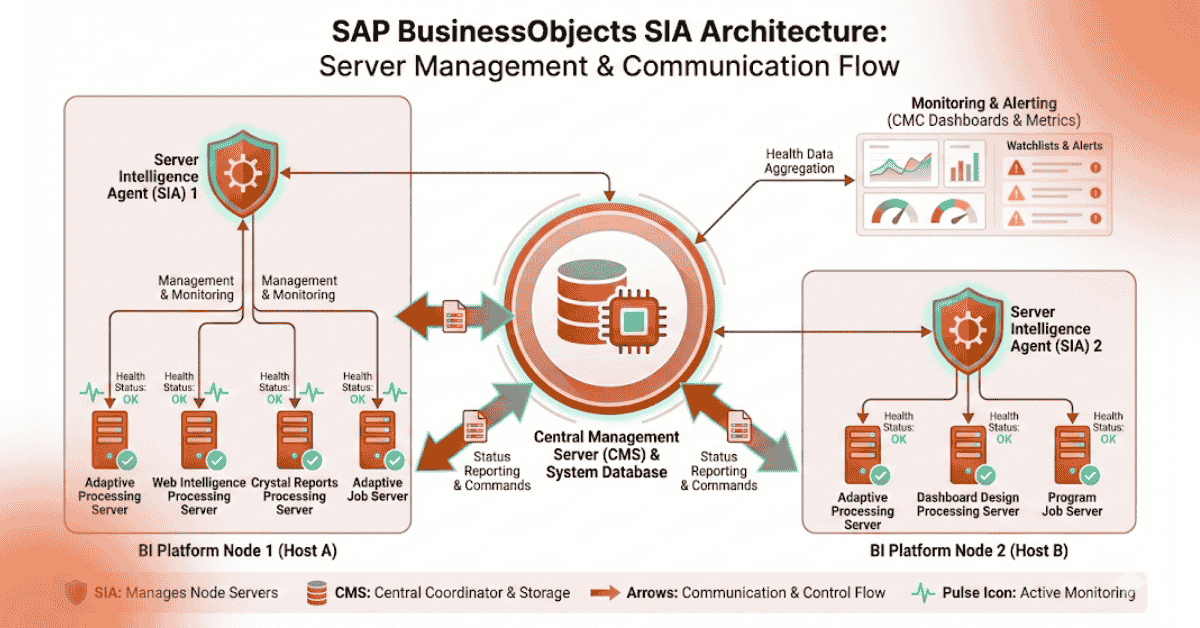
SIA is fully integrated into the platform’s architecture. Here’s how the process works:
1. SIA communicates with the CMS
- SIA queries the CMS at regular intervals
- CMS dictates the desired state of each BI server
- SIA ensures servers match those desired settings
2. SIA manages multiple BI servers
On a machine, SIA may control:
- CMS
- Input/Output File Repository Servers
- Adaptive Job Server
- Adaptive Processing Server
- Crystal Reports/WEBI services
- Connection servers
All these services are grouped under the SIA node.
3. Automatic recovery and self healing
SIA will:
- Restart crashed services
- Monitor server CPU/memory usage
- Restore services after unexpected shutdowns
- Handle configuration pushes from the CMC
This makes SIA essential for maintaining availability and reliability.
Key Functions of Server Intelligence Agent
- Starts and stops BI server processes.
- Monitors health of all local BI services.
- Restarts failed services automatically.
- Applies configuration updates from CMC.
- Ensures server roles (enabled/disabled) remain consistent.
- Helps scale multi-node deployments.
- Supports fault tolerance and load balancing.
In other words: SIA is the core part of Business Objects server management.
Installing and Configuring SIA: What Matters Most
During installation, you must define:
1. Name of the Node
- Must be unique
- Should not contain spaces or special characters
- Used internally in CMS for recognition
2. Port Number
- Default port: 6410
- Must be open on firewall
- Used for internal SIA <-> CMS communication
3. SIA Name
- Usually similar to server host name
- Should remain consistent across installations to avoid conflicts
4. Boots Trap File
SIA depends heavily on the bootstrap.xml file:
- Stores CMS connection info
- Stores authentication key
- Corruption of this file causes SIA failures
Common Server Intelligence Agent Issues (and Their Fixes)
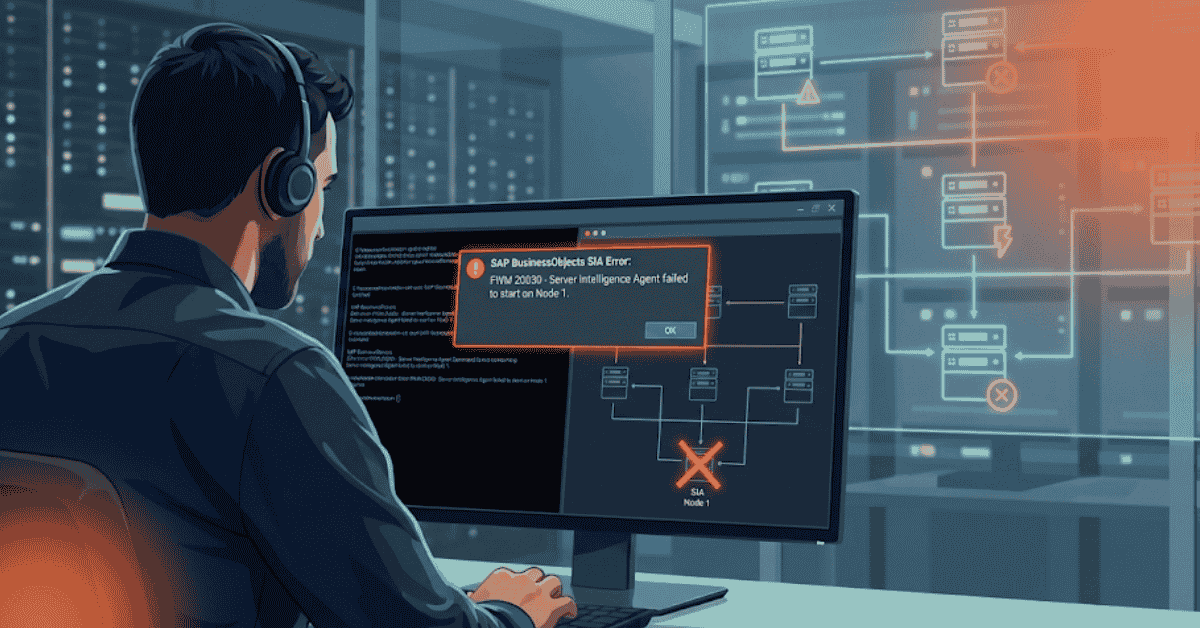
A lot of issues reported in community forums revolve around SIA not starting or not appearing in the Central Management Console. Here are typical problems:
1. “Server Intelligence Agent for this server is unavailable”
Possible causes:
- CMS DB migration
- Missing service folders
- Corrupted bootstrap file
- Port communication issues
Fix:
- Recreate the SIA with the same name and port
- Restart server
- Re-register node with CMS
This solution is documented by multiple BI admins on BOBJ-Board.
2. SIA not showing in CMC
Possible Causes:
- DNS or hosts file problem
- Corrupted CMS connection date
- Server reboot issues
Fix:
- Check hosts file for correct name resolution
- Ensure CMS is running
- Reset bootstrap.xml
3. SIA stuck on “Stopping” or “Starting”
Often caused by:
- Failed BI server processes
- Incomplete shutdown
- Locked ports
Fix:
- Kill ghost processes
- Restart server
- Check the Event Viewer logs for SAP BO processes
4. SIA won’t start after system reboot
Usually caused by:
- Wrong service startup cycle
- CMS password change
- Corruption in SIA configuration
Fix:
- Reset the CMS credentials in SIA
- Verify database connectivity
- Repair the BI installation if needed
Best Practices for Managing SIA

To maintain a stable Business Objects environment, follow these best instructions:
Assign clear, consistent node names.
Always keep SIA and CMS on reliable hardware.
- Monitor logs frequently.
- Enable tracing only when required.
- Skip unnecessary duplication of services.
- Backup bootstrap.xml before changes.
- Use regular service accounts.
- Keep CMS and SIA versions fully arranged.
- These steps significantly reduce SIA related outages.
Real-World Insights from Admins and Forums
Across SAP Community, Spiceworks, and BOBJ-Board, admins repeatedly highlight:
- Recreating SIA solves most corruption problems
- Hostname and port wrong configurations cause invisible or “unavailable” SIA nodes
- After migrations, restoring missing folders is crucial
- SIA logs are the best place to detect startup failures
- SIA acts like a “bootstrap” for all BI services, if it fails, the node fails
These practical insights are necessary for troubleshooting large scale BO implementations.
Why Understanding SIA Matters
If you are responsible for BI architecture, server management, or enterprise analytics, knowledge of SIA is essential. Whether it is managing nodes, scaling environments, or minimizing down time, SIA plays a core role in platform stability.
Ignoring SIA-related problems often leads to:
- Slow BO performance
- Services failing unpredictably
- System wide outages
- failure to scale the architecture
A strong understanding of SIA ensures your BI system performs reliably and efficiently.
Conclusion
The Server Intelligence Agent is the heart of SAP Business Objects server management. From automatically managing BI services to ensuring system stability and fault tolerance, SIA plays an essential role in every deployment. With proper configuration, maintenance, and monitoring, SIA provides a powerful framework for managing complicated BI environments with ease.
Whether you are installing, scaling, or troubleshooting Business Objects, mastering SIA will help you maintain a smooth, optimized, and resilient BI landscape.